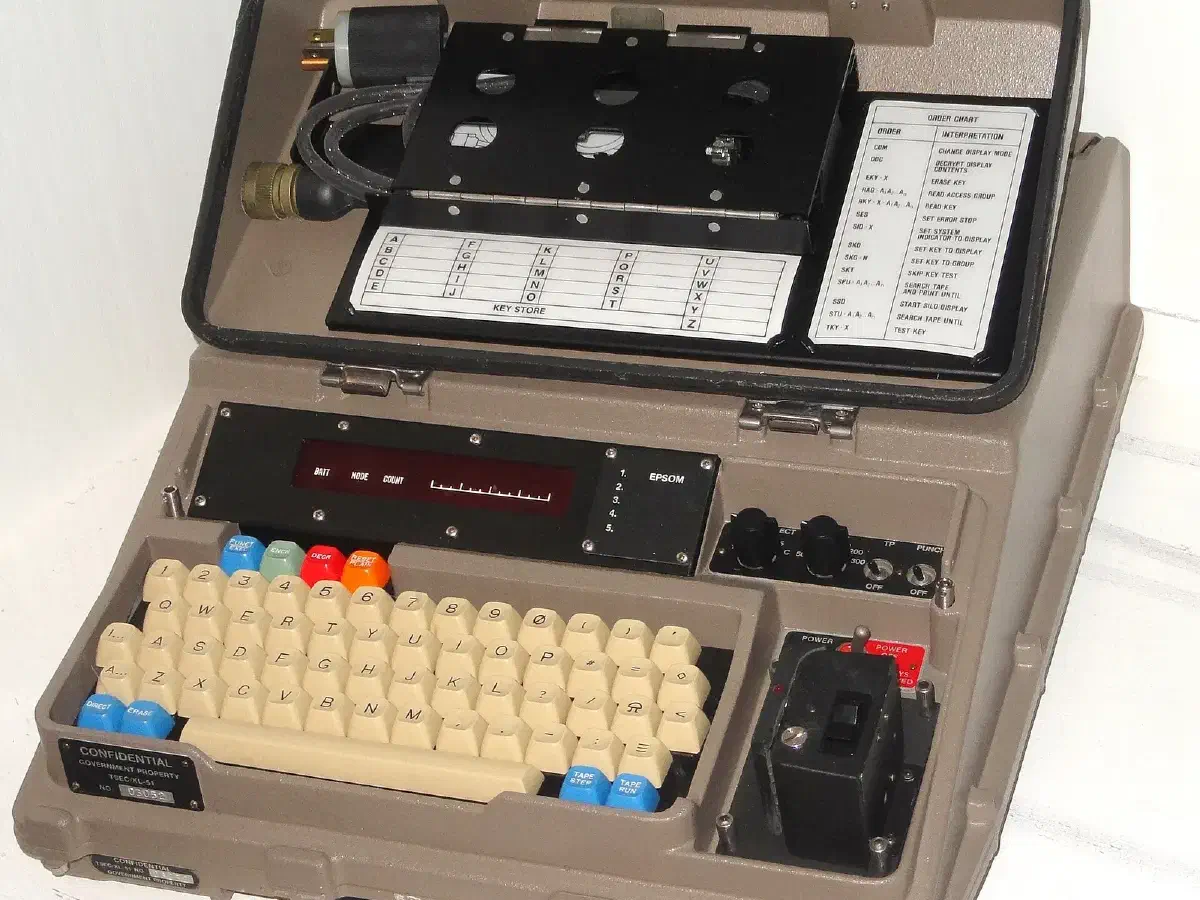
Preppers talk a lot about operational security, usually meaning don’t tell the neighbors what’s in the basement. Messages are the other half of it. A text about where your group is meeting, an email with an inventory, a radio check-in that names a location: each one can be read by someone you didn’t mean to tell. Encryption is the standard fix, and it has become easy enough that there is little reason to skip it.
This guide covers what encryption is, the main kinds, the algorithms behind the tools, which tools are worth using, and how to avoid the mistakes that make strong encryption pointless.
What cryptography does #
Cryptography is the practice of communicating securely when third parties may be watching. It has been around for as long as people have written secrets down, from the ciphers of ancient civilizations to the algorithms inside every phone today. Encryption is the working part: it takes readable text (plaintext), runs it through an algorithm with a key, and produces unreadable ciphertext. Only someone with the right key can turn it back.
A simple way to picture it: you put a message in a locked box and hand it to someone across a crowded room. Everyone sees the box, but only the person with the key can open it. A good system protects three things at once. Confidentiality means nobody else can read the message. Integrity means nobody can alter it without you knowing. Authenticity means you can tell who sent it.
Why preppers need it #
In a crisis you will need to coordinate resources, swap information and check on family, often over networks you don’t control. During a natural disaster or civil unrest, you may not want strangers to know what you have, where it is or when your house is empty. Your plans, inventories and location details are the kind of information that does harm in the wrong hands. Encryption lets you use public infrastructure, such as the internet, a cell network or shared Wi-Fi, without trusting it.
It also covers routine life. Medical records, tax files and scans of your identification are worth protecting whether or not anything collapses. The tools you use now are the ones you’ll rely on later, so practice with them in ordinary times.
Symmetric, asymmetric and end-to-end #
Symmetric encryption uses one key to lock and unlock. It is fast and efficient, which makes it the right choice for large amounts of data, such as an entire drive. The catch is key exchange: sender and receiver both need the same key, and you have to get it to them without anyone intercepting it. Handing it over in person is safest.
Asymmetric encryption, or public-key encryption, uses a mathematically linked pair of keys. The public key can be shared openly and is used to encrypt; the private key stays secret and is used to decrypt. Anyone can send you a locked message, but only you can open it. That removes the key-exchange problem and makes secure communication over untrusted networks practical. It is slower than symmetric methods, so real systems often use asymmetric encryption to swap a symmetric key and then use that for the conversation.
A public key infrastructure (PKI) is the system built on this idea: key pairs, plus a way to verify that a public key actually belongs to the person claiming it. In practice you’ll meet it as the padlock on HTTPS websites and in email encryption.
End-to-end encryption describes where the locking happens. The message is encrypted on the sender’s device and only decrypted on the recipient’s, so the servers in between, and anyone who breaks into them, see only ciphertext. This is the property to look for in a messaging app.
Algorithms you will see #
You don’t have to know the mathematics, but the names show up in tool descriptions and are worth recognizing.
- AES (Advanced Encryption Standard) is a symmetric algorithm used to secure sensitive data across the digital world. It is considered one of the strongest available and is what disk and file encryption tools typically use.
- RSA is an asymmetric algorithm that uses a key pair. It is widely used to secure online transactions and exchange keys.
- ECC (elliptic curve cryptography) is also asymmetric, but gives strong security with shorter keys, which makes it efficient on phones and small devices.
Stick with well-established algorithms and the tools built on them. Nobody should invent their own cipher; home-made schemes are the ones that break. There’s also talk of quantum encryption, which uses quantum mechanics to protect keys. It remains largely experimental, so it isn’t something you need to plan around today.
Tools worth using #
Signal is the first choice for messaging. It offers end-to-end encryption for text, voice and video, it is open source, and it is built around privacy. It also supports self-destructing messages. Other options: Wickr offers secure group messaging with ephemeral messages and screenshot detection, Threema supports end-to-end encryption with anonymous use and verification levels, and Telegram offers encrypted “secret chats”, although its ordinary chats are cloud-based and not end-to-end encrypted. WhatsApp also uses end-to-end encryption.
ProtonMail is an encrypted email service with end-to-end and zero-access encryption and anonymous sign-up. If you prefer to stay with your current provider, OpenPGP and its free implementation GPG (GNU Privacy Guard) let you encrypt and digitally sign messages yourself. It takes some setup, but it works with any email service.
VeraCrypt creates encrypted containers, or encrypts whole drives, for storing sensitive files, and it runs on several operating systems. It is a good fit for backup drives and USB sticks that may get lost.
A VPN such as NordVPN encrypts your internet traffic and hides your IP address from the sites you visit and from anyone on the same network. It protects the connection, not the content of your messages, and you are trusting the provider instead of your internet service, so pick one with a clear privacy policy.
Use SSL/TLS, which means HTTPS in the browser, whenever you communicate over the internet; it sets up a secure connection and encrypts data in transit.
Best practices #
Good tools can be defeated by sloppy habits. These are the ones that matter most.
- Use strong, current algorithms. AES and RSA or ECC, as above. Avoid anything labelled obsolete.
- Protect your keys. An encryption key left on a sticky note defeats the point. Store keys in a secure place, or in hardware designed for it, don’t send them over insecure channels, and change or rotate them periodically. Keep a copy somewhere safe so that losing a device doesn’t lock you out for good.
- Add multi-factor authentication. Encrypted accounts still sit behind a login. Require a second factor, such as a one-time code or a fingerprint, so a stolen password isn’t enough.
- Keep software updated. Patches fix vulnerabilities in encryption software and messaging apps. An outdated tool may have a published flaw.
- Dispose of data properly. Securely delete files, clear caches and use wiping tools on old devices, because plain deletion can be undone.
- Train everyone in your group. One person who forwards a decrypted message, or who uses a weak passphrase, undermines everyone else. Agree on protocols for how you share keys, which channels you use for what, and how you handle a lost device.
Practical difficulties #
Encryption isn’t free of friction, and it’s better to know the problems up front.
Key management is the hardest part. With several devices, several people and several channels, tracking who holds which key gets complicated quickly. Write a simple procedure and stick to it.
Compatibility matters when you need to talk to people outside your group. Choose tools that support standard protocols and formats, and agree on one app for the whole group, not three.
Speed and overhead are rarely a problem on modern hardware, but on very old devices or a weak connection, heavy encryption can slow things down. Balance security against what the situation demands.
Legal rules differ between countries, and some restrict or regulate the use of encryption. Know the laws that apply to you.
Training is the recurring cost. People forget passphrases and skip steps, so practice regularly, including drills for a lost phone or a forgotten key.
Encryption when the networks are down #
All of this assumes an internet connection. In a real emergency, cell towers and internet service may be unavailable, and the same principles then apply to other channels. Encrypted files can be carried on a USB drive or paper and handed over. Pre-arranged code words or one-time pads can be used over radio where regulations permit, though be aware that amateur radio rules in many countries prohibit encrypting transmissions, so check before you transmit. For the many things you can’t encrypt, rely on discipline: say little, share only what’s needed and avoid naming locations.
Cryptography in a disaster is also about the stored copies. An encrypted drive of your medical records, plans and contacts is safe to carry through a checkpoint, a shelter or a burglary.
Where to start #
Install Signal and move your family and group chats to it. Turn on full-disk encryption on your phone and laptop. Create a VeraCrypt container for backups and sensitive documents. Set up a password manager and two-factor authentication on your important accounts. Then run a drill: lose a phone on purpose, and make sure your group knows how to re-establish contact and who holds the backup keys. Strong encryption you can’t use under stress isn’t much help.
This piece is part of our wider coverage of security and communications.